Building a Chat App with Electron
Last weekend I tried to build a chat app with Electron, but it did not get any responses, which was a problem.
The socket in the renderer process kept getting no response, so I thought it was an Electron problem, but it was a CORS problem.
I debugged Electron and found that the socket was not getting a response and only received a 403.
I changed the origin on the server so that it would accept values coming from the Electron app.
After that, I ran the app and it received the chat history correctly!
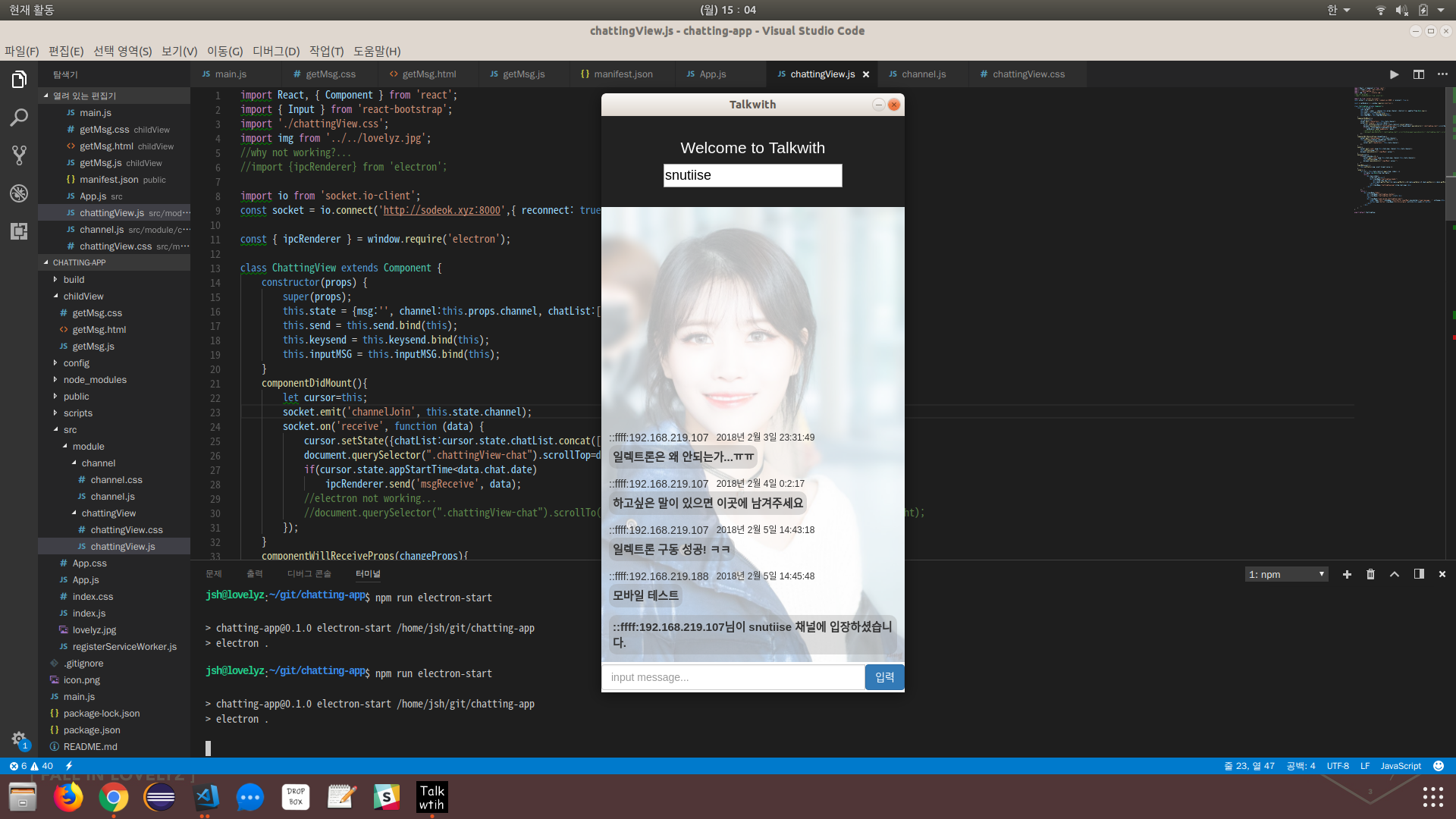
Now let’s add a feature that shows a notification when a chat arrives.
//child window... real child not...
child = new BrowserWindow({width: 210, height: 60, frame: false, type:"notification"});
child.setIgnoreMouseEvents(true);
child.setAlwaysOnTop(true);
child.setPosition(electron.screen.getPrimaryDisplay().bounds.width-210, electron.screen.getPrimaryDisplay().bounds.height-60);
child.loadURL(url.format({
pathname: path.join(__dirname, 'childView/getMsg.html'),
protocol: 'file:',
slashes: true
}));
child.isResizable(false);
child.hide();
//child.webContents.openDevTools();
I named it child window, but it is not actually a child of mainwindow… (I named it wrong.)
If you set the parent value to make it a child of mainwindow, mainwindow is also activated when a message notification arrives.
The goal is to activate only the child to show the message notification, so I made it an independent window.
The type is also set to notification so that the window does not steal focus when it is activated.
How annoying would it be if every message notification stole focus and interrupted what you were working on?
For the position, I use setPosition to place the notification message at the bottom right.
//chattingView.js -> renderer process
if(cursor.state.appStartTime<data.chat.date)
    ipcRenderer.send('msgReceive', data);

//main process
ipcMain.on('msgReceive', (event, data) => {
  if(mainWindow.isFocused()==false){
    child.reload();
    child.webContents.once('did-finish-load', () => {
      child.webContents.send("requestMsg",data);
      child.show();
    });
    //child.webContents.send("requestMsg",data);
  }
});
Next, the renderer process sends each incoming notification message to the main process.
Write this inside the receive event.
In my case, the server sends messages through a single receive event, so existing chat history and real-time chat messages arrive in the same place, and I cannot tell which are notification messages.
I could split the events, but I did not want to connect to the server again and change the code, so I only treat values larger than the app start time as real-time chat and send them to the main process.
When the main process receives a value on the msgReceive channel, it checks whether mainwindow has focus and shows the message notification only when it does not.
The main process sends a value to the renderer process through webContents; since it sends only once, it sends the message with once on the did-finish-load event (fired when the page has fully loaded).
//getMsg.js -> renderer process
const { ipcRenderer } = require('electron');

ipcRenderer.on("requestMsg", function (event, data) {
    document.getElementById("msgBox").innerHTML = "<div class='ip'>"+data.chat.ip+"</div><div class='msg'>"+data.chat.msg+"</div>";
});

setTimeout(() => {
    ipcRenderer.send('hideChild');
}, 3000);

//main process
ipcMain.on('hideChild', (event, data) => {
  child.hide();
});
The renderer process shows the message received on the requestMsg channel and, after 3 seconds, sends to the main process on the hideChild channel. (It is only a call, so there is no value to send.)
When the hideChild channel is called, the main process hides the child window.
Even if message notifications keep arriving, the event fires after the child is reloaded on the msgReceive channel, so the timer is reset too.
So even if messages keep coming, the child window disappears 3 seconds after the last message.
Now let’s connect to the chat server from a phone and send a message.
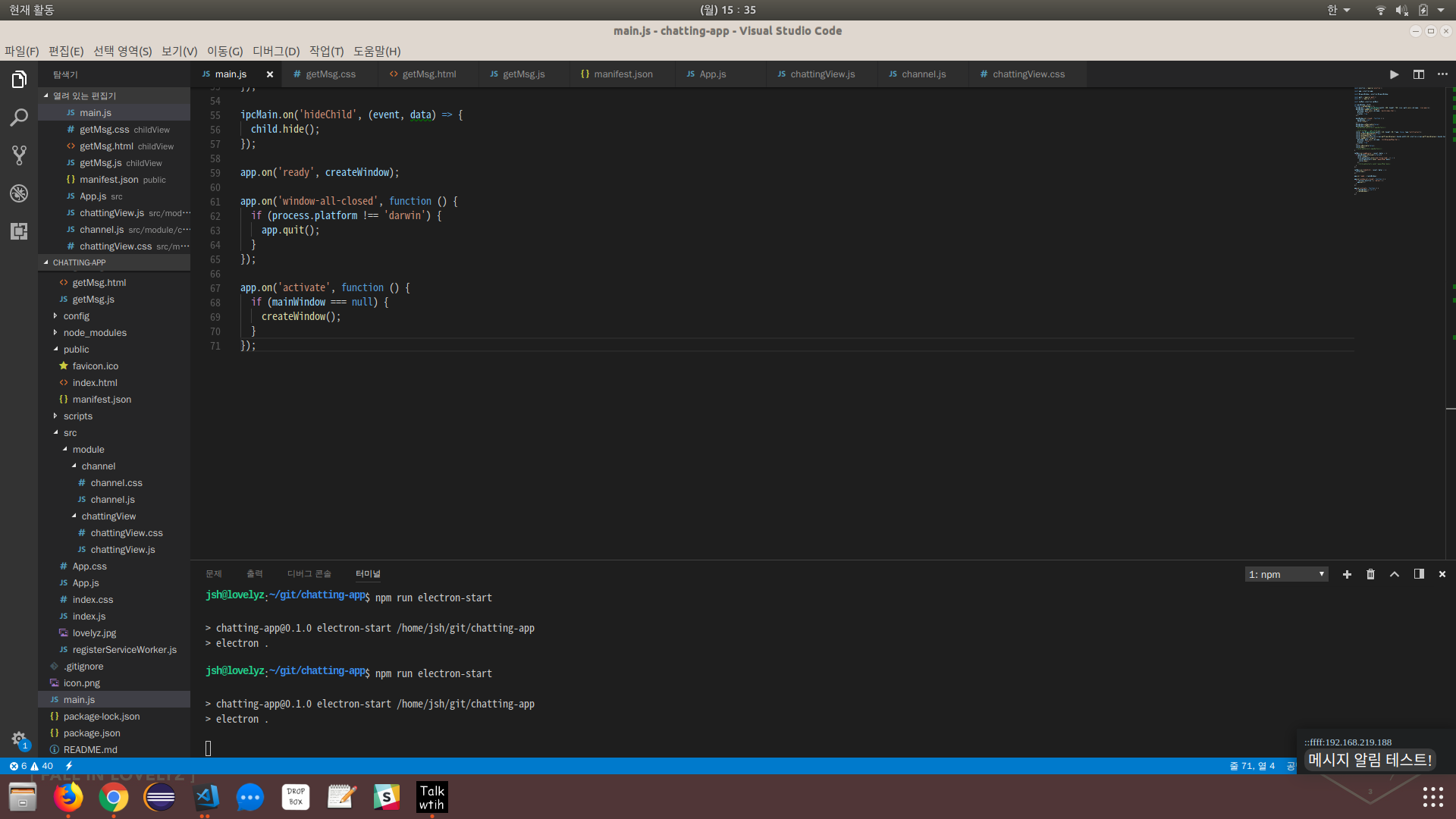
At the bottom right, you can see that the notification message is received successfully when the chat app does not have focus.
You can check the full code here.