Twitter Image Crawler
My personal server runs several kinds of crawlers, such as a Lovelyz image crawler and a DC Inside keyword crawler.
This time I want to share an image crawler, specifically one for Twitter, which has abundant sources.
I implemented it to crawl without the API rather than using the official API.
First, to set up the environment, you need to install selenium, scrapy, pymongo, and configparser.
#install all at once
$ sudo pip install configparser pymongo selenium scrapy
Selenium is used to get data-min-position, the most essential key for crawling Twitter without the official API.
Actually, the crawler I implemented earlier got data-min-position without selenium, but when I checked again recently, the data-min-position value is generated dynamically and has become hard to obtain.
Data-min-position?
Looking at Twitter’s structure, the timeline shown on a search screen displays the tweets located between the data-max-position value and the data-min-position value.
So we get the data-min-position value with selenium and put it in as the data-max-position value in the next url request, which lets us keep fetching new tweets.
We use scrapy to request the new document url. Actually, once selenium is used, a crawler can be implemented without scrapy, but the original source was built with scrapy and I just added selenium to it, so I’ll go on with it.
What is Scrapy

It is an open-source web crawling framework made in python.
It is easy to work with and well documented, so it is a widely used framework for crawling.
For details, see https://scrapy.org
Now let’s use scrapy.
$ scrapy startproject twitterOnce it is created properly, the twitter scrapy has the following structure.
twitter/
    scrapy.cfg            # deploy configuration file

    twitter/             # project's Python module, you'll import your code from here
        __init__.py

        items.py          # project items definition file

        middlewares.py    # project middlewares file

        pipelines.py      # project pipelines file

        settings.py       # project settings file

        spiders/          # a directory where you'll later put your spiders
            __init__.py
The part that handles the main logic of the crawl is image_spider.py under spiders.
Before that, I will save the metadata to MongoDB while crawling, so I modify pipelines.py first.
class MongoDBPipeline(object):

    def __init__(self):
        connection = pymongo.MongoClient(
            settings['MONGODB_SERVER'],
            settings['MONGODB_PORT']
        )
        db = connection[settings['MONGODB_DB']]
        self.collection = db[settings['MONGODB_COLLECTION']]

    def process_item(self, item, spider):
        valid = True
        for data in item:
            if not data:
                valid = False
                raise DropItem("Missing {0}!". format(data))

        if valid:
            self.collection.insert(dict(item))
            log.msg("Twitter Data added to MongoDB database!",
                    level=log.DEBUG, spider=spider)

        return item
Then set up settings.py to use mongodbpipeline.
Here you need to set the MongoDB address and port, the database name, and the collection name.
If you are not sure, just installing MongoDB with sudo apt-get install mongodb-clients mongodb-server works without any problem.
BOT_NAME = 'twitter'

SPIDER_MODULES = ['twitter.spiders']
NEWSPIDER_MODULE = 'twitter.spiders'

ITEM_PIPELINES = {'twitter.pipelines.MongoDBPipeline': 300,}

MONGODB_SERVER = "localhost"
MONGODB_PORT = 27017
MONGODB_DB = "crawler"
MONGODB_COLLECTION = "twitter"

ROBOTSTXT_OBEY = False

DOWNLOAD_DELAY = 0.5
Now let’s write image_spider.py!
image_spider.py is structured as below.
class ImageSpider
    #start the crawler
    def start_requests
    #parse the crawl list, then call parse_img, and compute the next url with data-min-position and recurse
    def parse
    #save the image and save the metadata
    def parse_img
First, before class ImageSpider, let’s load the config file and selenium.
Config.read('./setting.conf')
keyword = Config.get('twitter', 'keyword')
page = Config.get('twitter', 'page')
rootpath= Config.get('twitter', 'rootPath')

options = webdriver.ChromeOptions()

options.add_argument('headless')
options.add_argument('window-size=1920x1080')
options.add_argument("disable-gpu")

options.add_argument("user-agent=Mozilla/5.0 (X11; Linux x86_64) AppleWebKit/537.36 (KHTML, like Gecko) Chrome/63.0.3239.132 Safari/537.36")

driver = webdriver.Chrome(rootpath+'chromedriver', chrome_options=options)

driver.implicitly_wait(3)
From the conf file, it reads the keyword and page to search in advance and the absolute path where the crawler is located.
Selenium runs in headless mode, the same way as last time.
class ImageSpider(scrapy.Spider):
	name = "twitter"
	def start_requests(self):
		urls = ['https://twitter.com/search?q='+keyword+'&src=typd&lang=ko&max_position=']
		for url in urls:
			yield scrapy.Request(url=url, callback=self.parse)

	def parse(self, response):
		driver.get(response.url)
		#static img
		for link in driver.find_elements_by_css_selector('div.js-adaptive-photo'):
			next_post = link.get_attribute('data-image-url')
			client = MongoClient('localhost', 27017)
			db = client.crawler
			collection = db.drop
            #ignore urls already collected!!
			flag = collection.find({"_id": next_post}).count()
			if(flag == 1):
				print next_post
				pass
			else:
				collection.insert({"_id": next_post, "num": int(time.time() * 1000)})
				yield scrapy.Request(next_post, callback=self.parse_img)
			client.close()

		#gif
		for link in driver.find_elements_by_css_selector('div.PlayableMedia-player video'):
			next_post = link.get_attribute('src')
			client = MongoClient('localhost', 27017)
			db = client.crawler
			collection = db.drop
            #ignore urls already collected!!
			flag = collection.find({"_id": next_post}).count()
			if(flag == 1):
				print next_post
				pass
			else:
				collection.insert({"_id": next_post, "num": int(time.time() * 1000)})
				yield scrapy.Request(next_post, callback=self.parse_img)
			client.close()
		global cnt
		global page
		cnt += 1
		if cnt >= int(page):
			driver.quit()
			sys.exit()
		min_position = str(driver.find_element_by_css_selector('div.stream-container').get_attribute('data-min-position'))
		print response.url
		url = response.url.split('&max_position')[0] + '&max_position=' + min_position
		yield scrapy.Request(url, callback=self.parse)
In the code above, regular jpg and gif are obtained separately, because on Twitter the tags of static images and gif images differ.
For a regular static image, you can extract the image address by accessing div.js-adaptive-photo, and for a gif you need to extract the address by accessing div.PlayableMedia-player video.
Then it gets min-position through driver.find_element_by_css_selector(‘div.stream-container’).get_attribute(‘data-min-position’), computes the url, and calls itself.
When the cnt value becomes greater than page, the crawler is forcibly terminated; page counts each move to the next url by computing min-position as one page. Without this part, it can crawl the keyword to the very end.
One peculiar point is that gif images are actually uploaded as mp4, so they must be accessed through the video tag. Large real videos are served as the blob type and cannot be saved in parse_img.
For large videos, I need to study blob objects and think about how to save them. I’ll pass on that here!
	def parse_img(self, response):
		img = response.url
		num = int(time.time() * 1000)
		if img is not None:
			tmp = img
			name = tmp.split('/')[4]
			ext = tmp.split(".")[3]
			self.log(tmp)
			file_path = "%s%s" % (rootpath+"storage/tmp/", name)
			if not(os.path.exists(file_path)):
				urllib.urlretrieve(tmp, file_path)
				f = open(file_path, 'rb')
				hash_name = hashlib.md5(f.read()).hexdigest()
				hash_path = "%s%s" % (rootpath+"storage/twitter/", hash_name)
				if(os.path.exists(hash_path)):
					os.remove(file_path)
				else:
					os.rename(file_path, hash_path)
					yield {
						'_id': hash_name,
						'num': num,
						'ext':ext
					}
In parse_img, the complete image url has already been passed from parse, so the image is saved to a temporary path and then saved again using a hash.
The reason for implementing it this way is not to collect duplicate images.
When saving is done, the metadata is saved to MongoDB using yield.
If you give the finished crawler an appropriate page value and run it at regular intervals, you can always fetch the latest images.
Now let’s run the crawler with scrapy crawl twitter.
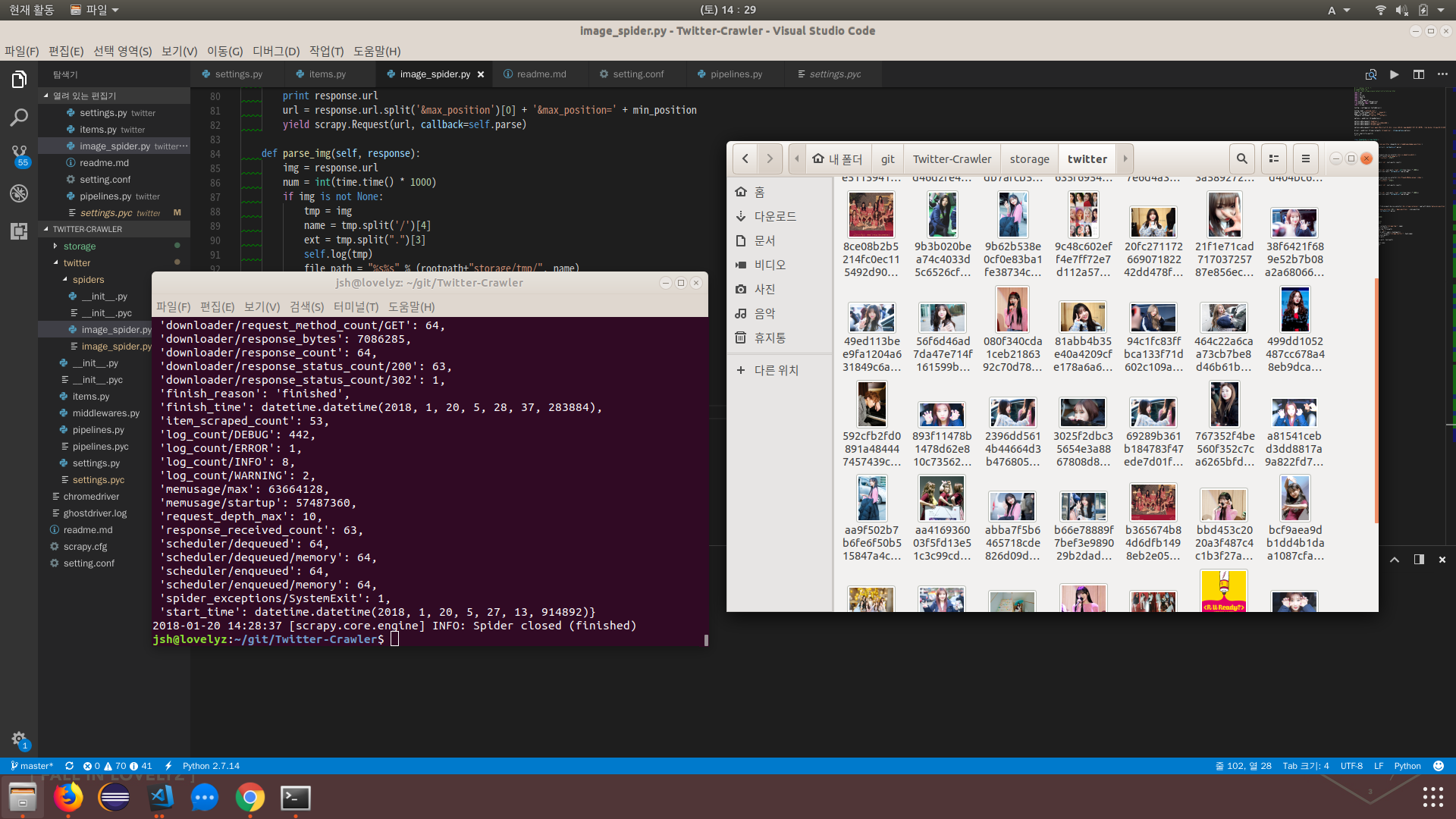
You can confirm that the images were crawled successfully.
The full source is in Twitter Image Crawler.